

Typo-Tolerant Search, Relevance Ranking, Facets, and More
We have been lucky to work with customers such as Home Depot, Gracenote (a Nielsen company), Fanatics, Badger Technologies (a Jabil company), iSonic.ai, and others. Their work spans recommendations, personalization, customer support, semantic search over video, computer vision, knowledge graphs, and most recently, agentic memory and cognition.
A decade ago, ApertureDB started at Intel Labs as a database for images, video, and the machine learning workflows built around them. When we launched ApertureData, our prime directive was to productionize that pipeline.
From Images and Video to Text and Documents: How the Workload Shifted
By the time we had a distributed database engine with all the enterprise bells and whistles, the field had moved. As we went past classic ML and into the GPT era, retrieval-augmented generation, GraphRAG, and every variation since have revolved around text and documents.
Luckily, we had built something foundational enough to move with the market, which kept hovering around text. Admittedly, that disappointed us as researchers who had launched a spaceship and were being asked for a shuttlecraft. Often, though, the shuttlecraft was how the crew got to the spaceship. (Needless to say, I am a Star Trek fan.) Ultimately, what matters is meeting customers where they are.
ApertureDB already combined vector search, a knowledge graph, and native storage for text, documents, images, video, audio, and blobs, plus embeddings. Our view of what multimodal support requires is in What Does Multimodality Truly Mean For AI? We could handle every modality, but we started out investing most in images and video: understanding their structure, regions of interest, and clips. Text had to catch up.
We started last year. We added text vector search in the ApertureDB UI and shipped SQL workflows, which connect ApertureDB to SQL-based tools. We also launched maximal marginal relevance (MMR) reranking for RAG, which balances relevance with diversity in the results. The harder call was full-text and fuzzy search, which felt like a step away from being an AI database. Then we looked at why customers wanted them, and it made sense.
Why Customers Asked for More Text Features: Prefiltering, Knowledge Graphs, and Agent Search
Movie search is a great example of the three needs that came up again and again.
Prefiltering before nearest neighbor search. Say someone wants movie posters that look like one they love, but only from films released after 2010 with a particular actor. If the search takes the 10 nearest posters first and filters afterward, it can end up with two results, or none, because the closest posters belong to other films. Narrowing the candidates with text attributes and graph relationships before the KNN step keeps the search focused on records that can actually match, so all 10 results qualify.
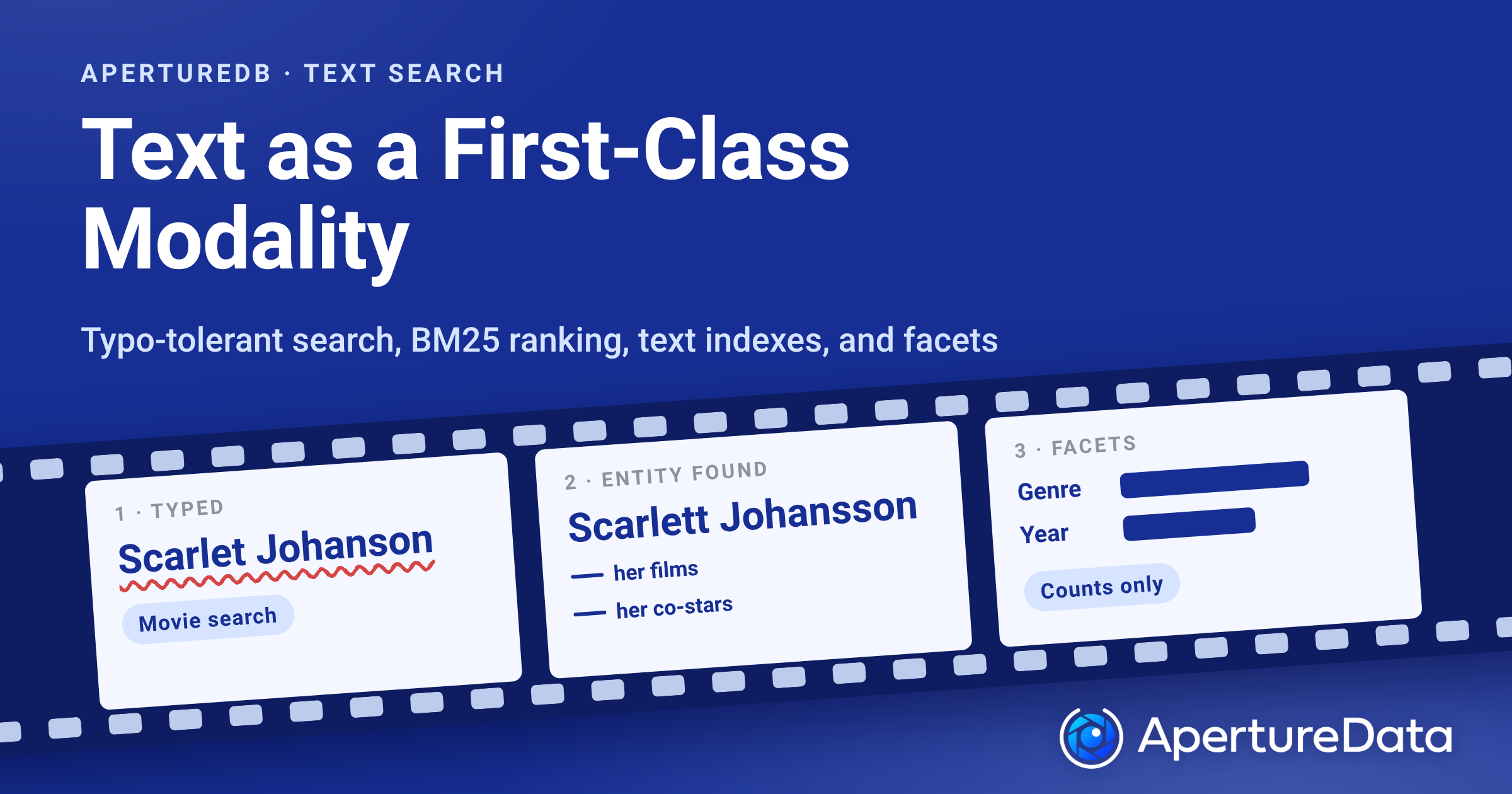
Knowledge graph workloads. In a movie knowledge graph, an actor is an entity linked to films, directors, and co-stars. The way in is usually a name typed by a person, and people often mistype e.g. "Scarlet Johanson" instead of “Scarlett Johansson”. Vector search can surface something close to that name, but close is not the same as right. "Scarlet" is also a Marvel character, so a search can drift toward Scarlet Witch or other actors with similar names just as readily as the one typed. A typo-tolerant text match on the name finds Scarlett Johansson as the entity, and the traversal can start from there: her films, her co-stars, their other work. If the lookup misses, there is nothing to traverse from.
Advanced search requirements from agents. An agent cannot skim a page of results the way a person does. If a search for "Scarlet Johanson" returns 40 films, the agent needs the engine to say how confident each match is and how the results break down, so it can narrow the query instead of reading all 40. A clear lead means it can act on the first result. Close scores mean it should narrow the query. Counts per genre or release year, without returning the films themselves, tell it which filter to add next and keep what it has to read small.
What Shipped: Typo-Tolerant Full-Text Search, Text Indexes, Facets, and More
As of October 2026, ApertureDB has typo-tolerant full-text search with relevance ranking, configurable text indexes with case-insensitive matching, and facets and aggregation over results. The examples below are JSON queries in the ApertureDB query language, adapted from the docs.
Typo-Tolerant (Fuzzy) Full-Text Search
Full-text search runs on a fulltext index. Create one on the property you want to search:
[{
  CreateIndex: {
    target: 'entity',
    class: 'Article',
    property: 'body',
    kind: 'fulltext'
  }
}];
A full-text expression takes the property, the query string, an optional match mode ("all" terms or "any" term), and an optional typo option, max_edits. Each query word gets its own maximum edit distance. An edit is an insertion, a deletion, a substitution, or a swap of two adjacent characters, so "imgae serach" is two edits away from "image search", not four. This query finds articles despite both words being misspelled:
[
  {
    "FindEntity": {
      "with_class": "Article",
      "constraints": [{ "fulltext": ["$body", "imgae serach", "all", 4] }, ">", 0],
      "sort": {
        "expression": { "fulltext": ["$body", "imgae serach", "all", 4] },
        "order": "descending"
      },
      "limit": 10,
      "results": {
        "list": ["title"],
        "expressions": { "score": { "fulltext": ["$body", "imgae serach", "all", 4] } }
      }
    }
  }
]
The search starts with exact matches. If it finds none, it allows more edits one step at a time, up to the ceiling you set, and stops at the first step that returns results. Closer matches win, so it does not list every match within four edits when closer ones exist. Results are ranked with BM25, a widely used keyword relevance function, which is why the query above sorts explicitly by score. Filtering alone does not order the results.
ApertureDB also supports whole-string similarity matching, which compares two complete strings including spaces and punctuation. It is useful for names and other short text. Together, these answer the knowledge graph and agent needs above: finding the right entity from an imperfect query, and returning ranked results. See Text search expressions in the docs for the supported functions and index requirements.
Text Indexes, Case-Insensitive Matching, and Regular Expressions
Text conditions are now easier to index and match. You can configure ordered, trigram (substring), and property-type indexes, with case-sensitive and case-insensitive text options. This creates an ordered index that compares names without regard to case:
[
  {
    "CreateIndex": {
      "kind": "ordered",
      "target": "entity",
      "class": "Person",
      "property": "name",
      "params": { "text": "case_insensitive" }
    }
  }
]
Query expressions support case-insensitive string operations such as ilike, and expression-array constraints add scalar functions, regular-expression matching, and Boolean operators:
[
  {
    "FindEntity": {
      "with_class": "living",
      "constraints": ["$name", "ilike", "CREATURE1%"],
      "results": { "list": ["name"] }
    }
  }
]
In this query, $name reads the name property. A property can be used as a variable anywhere in an expression: inside functions, and on either side of a comparison. This keeps entities whose trimmed name is longer than three characters:
[{ "length": { "trim": "$name" } }, ">", 3]Two properties can also be compared directly, for example ["usage","<","limit"].
These conditions answer the prefiltering need above: they are evaluated before the nearest neighbor step. See constraints and CreateIndex in the docs.
Facets and Aggregation
Search results can be summarized as well as listed. Count, average, min, and max work over results. Group by returns per-value counts, the facets behind a search page, without returning the entities. An agent can use the same counts to decide which filter to add next. This query counts recipes per cuisine:
[{ "FindDescriptor": { "set": "recipe_search", "results": { "group": ["cuisine"] } } }]Add "average": "calories" to the same results block to get the average per group. Aggregates also work together with k_neighbors, over the top results. See Filtering, Aggregation, and Facets in the docs.
And More
Recent releases have added more for search and filtering. Each is listed in the release notes:
- Better index use in queries that combine multiple filters.
- Improved exact descriptor search performance.
- GetIndexes, which lists property indexes.
Why This Matters: One Engine for Text, Knowledge Graphs, and Vector Search
These features came from customers who wanted a truly unified system. We were missing some key features, and we are not anymore.
ApertureDB was already strong at vector search combined with knowledge graph filtering. With text as a first-class modality, it also handles text search, knowledge graph workloads, and filtered KNN over large collections. Teams that would otherwise stitch together a search engine, a vector database, and a knowledge graph can do it in one engine. Full-text search in ApertureDB ranks with BM25 and tolerates typos, and it sits next to knowledge graph filters and vector search in the same engine.
What Is Coming Next
Text was one half of what customers asked for. The other half is the knowledge graph. Our next post covers array properties, ACORN filtered vector search, graph visualization in the ApertureDB UI, and when to model a multi-valued property as a node or as an attribute. We are also writing up our deployment work, starting with a multi-architecture Community Edition.
Docs: ApertureDB query language overview and release notes.
Try ApertureDB free: https://aperturedata.io/product
Special thanks to Ali Asadpoor for his review of the technical details in this post.


.png)




.jpeg)



.png)